3D vehicle configurator
3D vehicle configurator
3D vehicle configurator
3D vehicle configurator
3D vehicle configurator
3D vehicle configurator
3D vehicle configurator
From a Two-Week Sales Call to a Configurator That Sells on Its Own
We built TouringDesign a fully serverless 3D vehicle configurator on AWS, cutting their sales response time from two weeks to minutes — and gave them a platform they run themselves, not one they're locked into.
The Problem
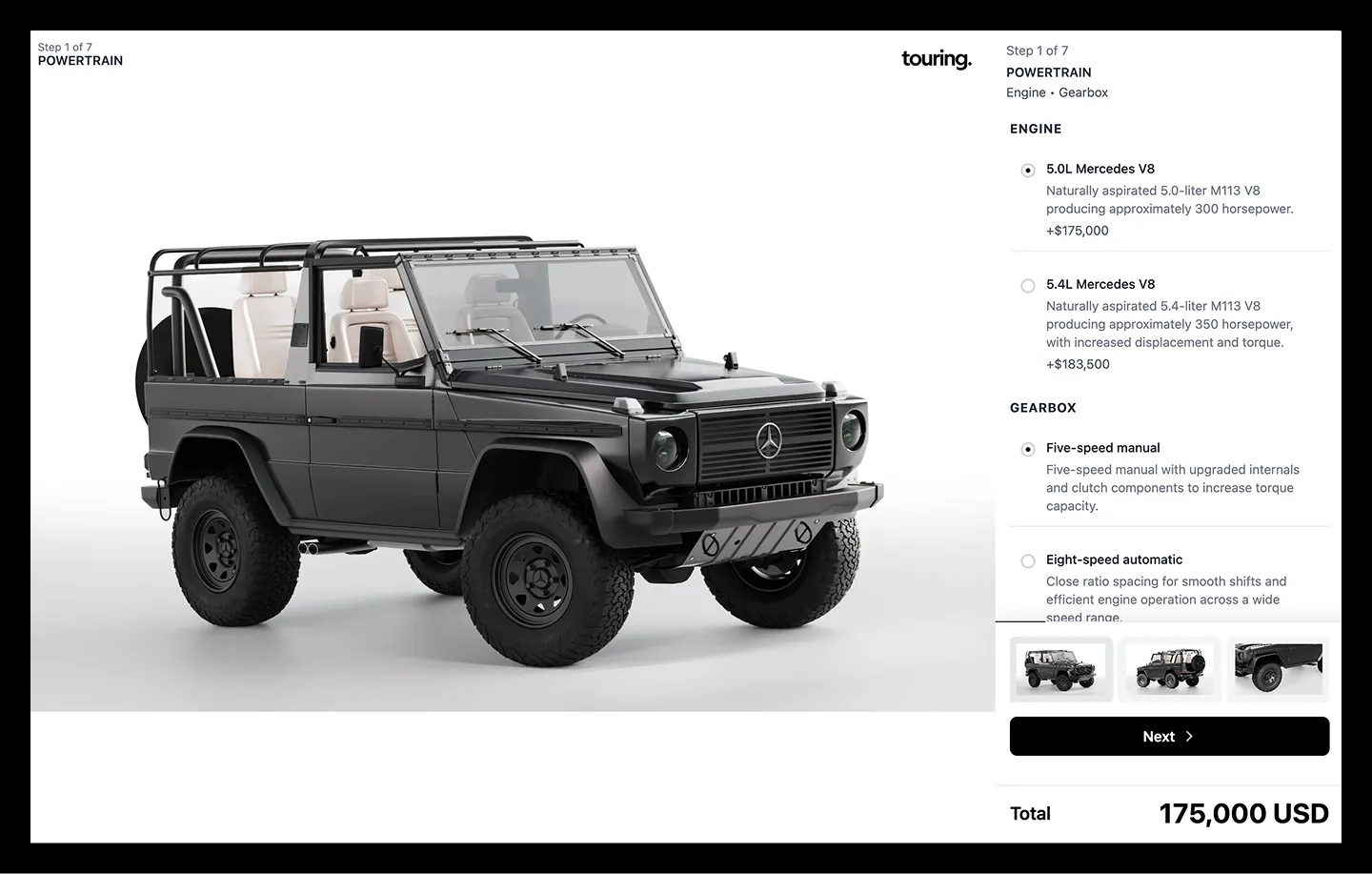
TouringDesign builds restored and custom Mercedes-Benz G-Class vehicles — six-figure collector pieces with near-infinite personalization options. But selling something that expensive and that customizable had an invisible bottleneck: every proposal started with a phone call.
The Touring team had to talk to the client, understand what they wanted, and then commission custom renders for that exact configuration. That process took days. And those days weren't free — every day of waiting meant more operational cost, and more importantly, more risk. In high-desire, high-ticket products, the friction between interest and proposal is directly proportional to the odds of losing the sale.
The challenge wasn't "build a nice website." It was eliminating the dependency on a human producing bespoke renders every single time someone wanted to see "what my G-Wagon would look like in blue, with A.R.T. Spec wheels and ochre seats."
The Technical Decision: Why We Didn't Use Airtable
When we started mapping out the configurator, the obvious route would have been Airtable + Webflow — fast to implement, no-code. But Airtable has real limitations in how it handles data and in its integration with Webflow, and we needed something headless that the client could fully control, without limitations for them or for their end customer.
We chose AWS as the backend — not because it was the simplest option, but because it gave us the flexibility to scale without friction. That bet paid off almost immediately: midway through the build, Touring started asking for more customization steps than we'd originally planned. With Airtable, every new step would have meant renegotiating database limits. With AWS, we simply built more.
That flexibility ended up defining the entire project.
From a Fixed Configurator to a Platform the Client Controls
The first version had the exact steps Touring had asked for. But as soon as we saw customization demand was going to keep growing, we reframed the goal: instead of building a configurator, we built a configurator platform.
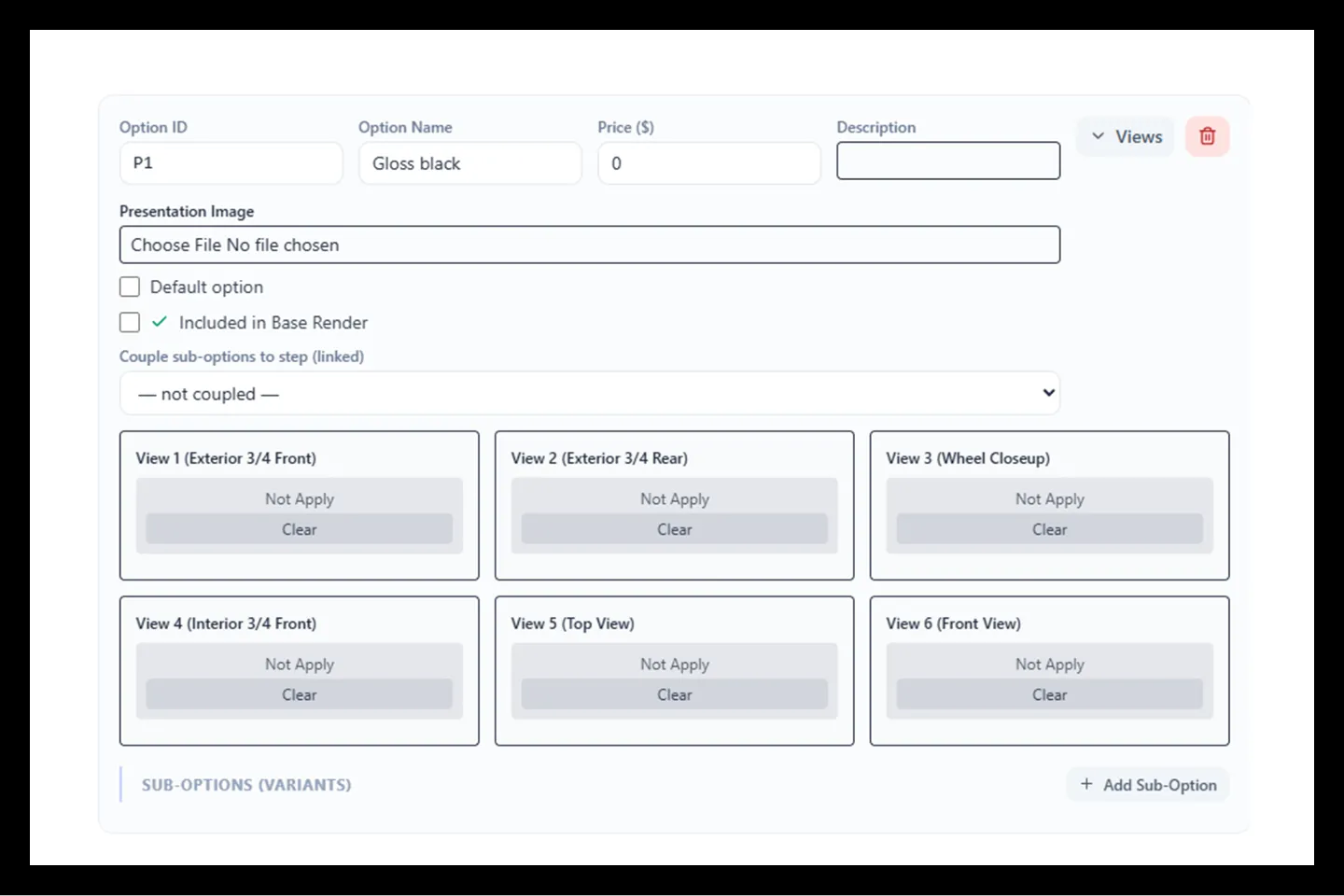
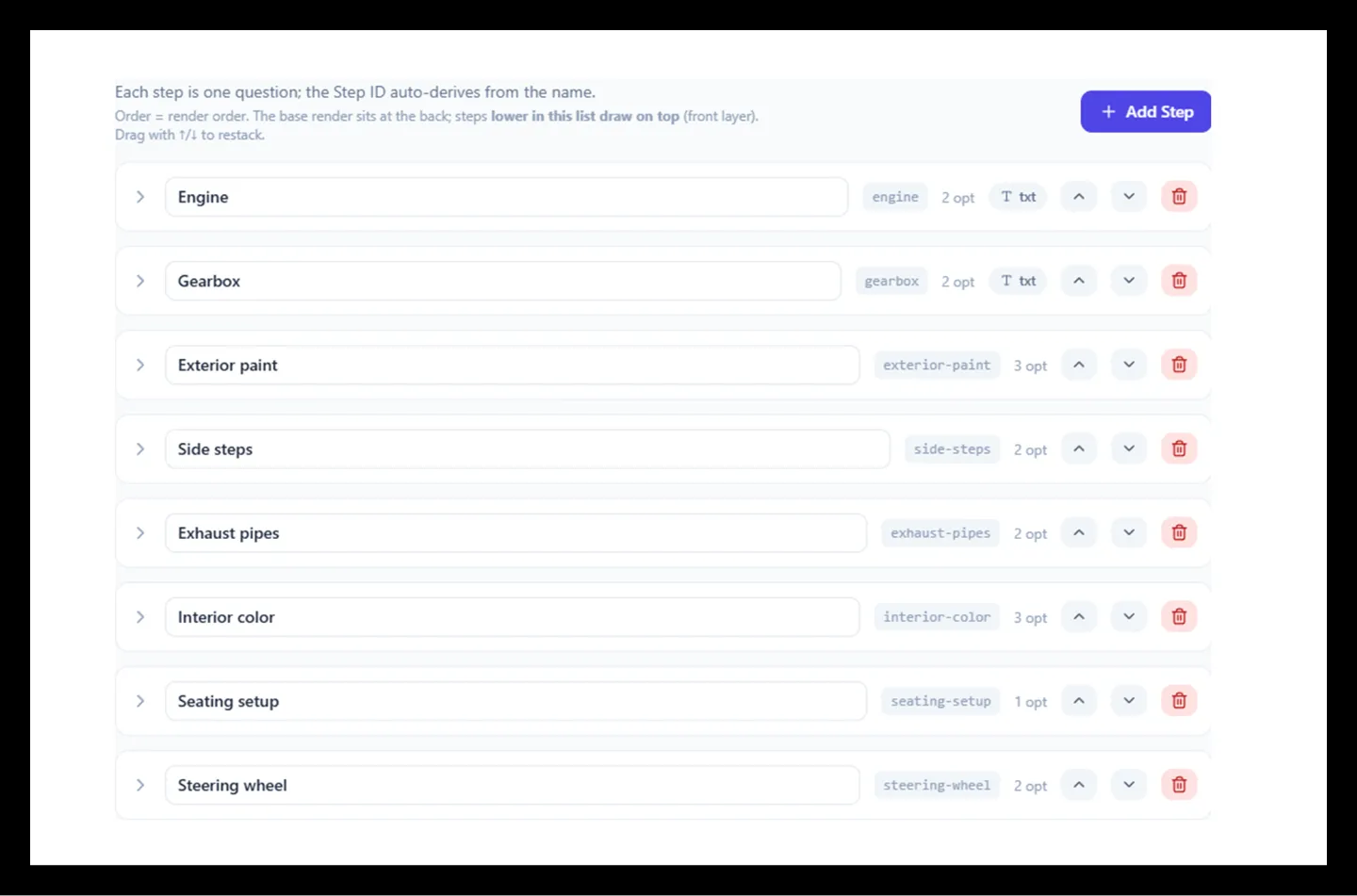
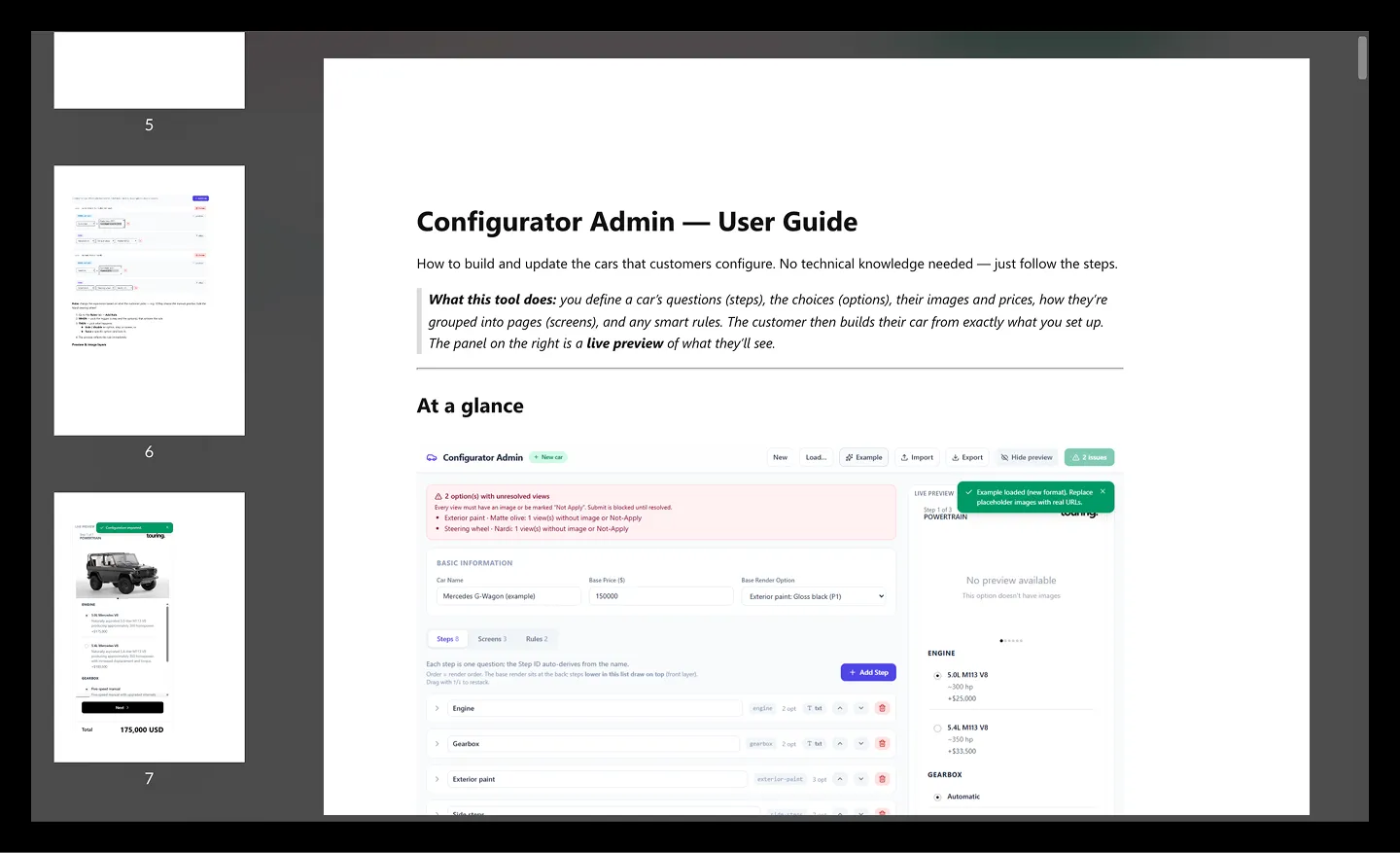
In v2, we designed an admin panel that lets the Touring team, with zero code:
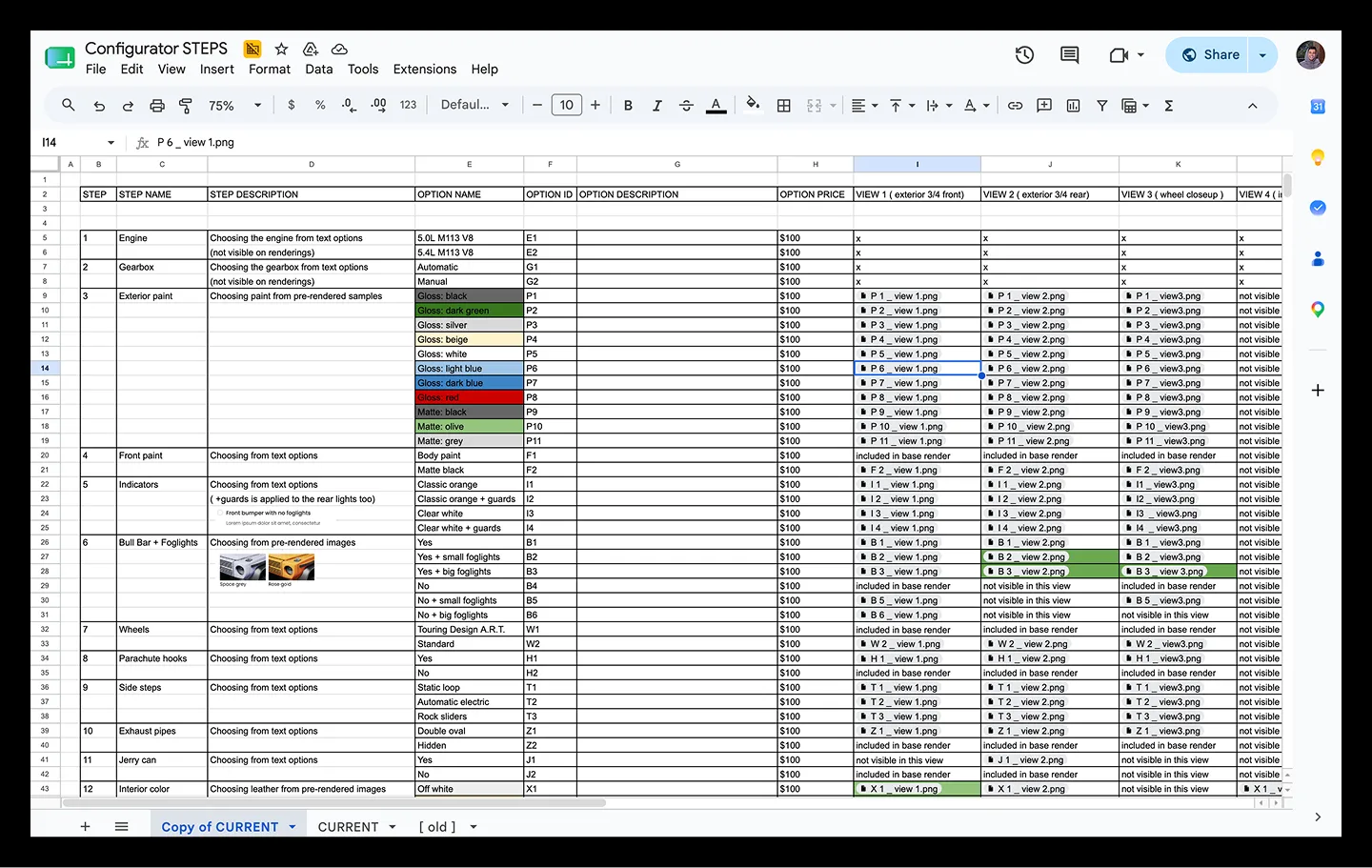
- Create and edit steps and sub-steps for each car model
- Upload and replace images per option
- Set pricing for each individual option
- Configure the selector type (visual, text, pre-rendered) per step
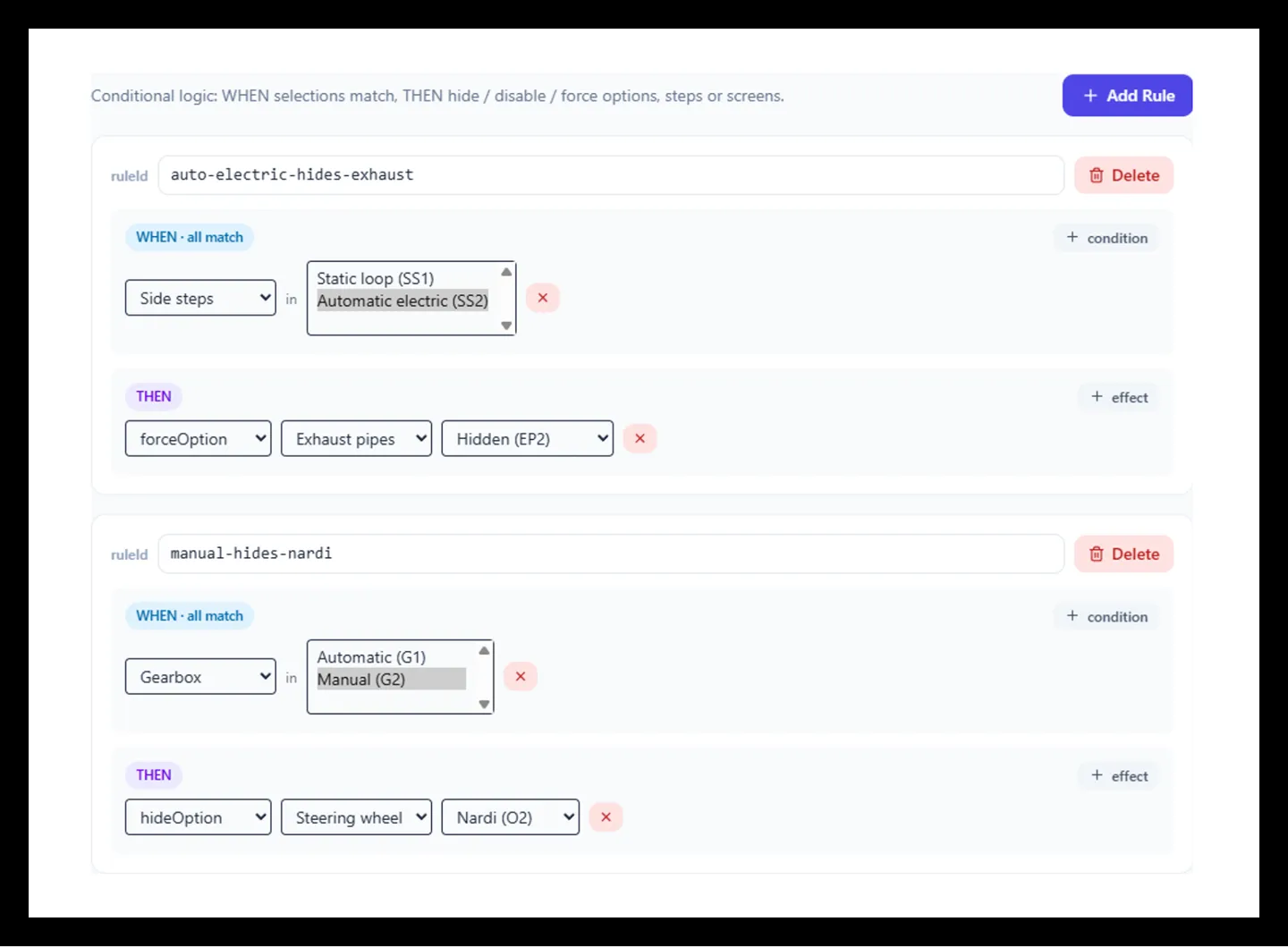
- Define conditional rules (hide, disable, or force an option based on another selection)
- Import or export a car's entire configuration as JSON
This gave Touring full control over their cars and their customization possibilities — without depending on us to launch a new model or a new option.
The Real Technical Challenge: Hundreds of Renders per Car
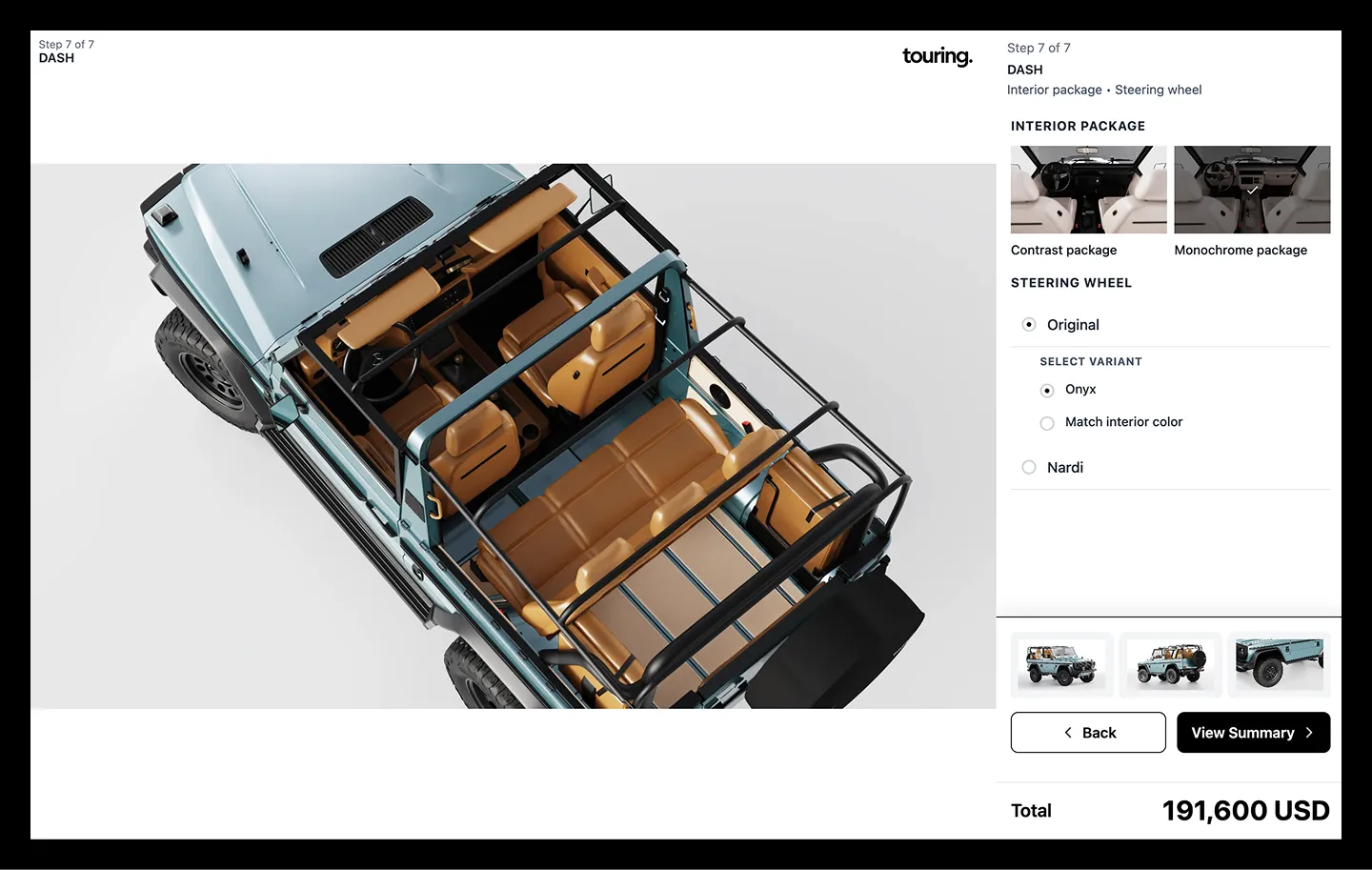
Each vehicle in the configurator draws from several hundred distinct images — the full G-Class build, for example, runs on roughly 740 image URLs across 15 customization steps and 6 camera angles. Re-rendering the entire car every time the user changed a single option would have been unworkable: too much load weight, too slow, and a level of complexity that would have been far harder to maintain on a no-code database than on our own infrastructure.
We solved it with modular, layered renders: each image contains only the part of the car that changes for that specific option — the body without seats or lights, the wheels without the rest of the chassis — and the frontend stacks them to reconstruct the full car in real time. Changing the body color doesn't reload or reprocess the wheels or seats the user already selected.
The elegant part is how the stacking order is decided: it's not hardcoded per option. The visual layer order simply follows the order of the steps in the admin panel. Reordering steps is reordering visual layers, through the same drag-and-drop interface Touring already uses to manage the configurator. No magic numbers, no per-option configuration to get wrong — the visual stacking order is self-documenting, readable by anyone on the team, technical or not.
That design was earned the hard way. The original version hardcoded each layer's stacking position directly in the step's index number, and real combinations broke it — one memorable bug had the rear exhaust pipes rendering on top of the side steps because their fixed z-index values overlapped. Chasing down one-off numeric fixes for every new visual conflict is exactly what convinced us to move to an order-driven model instead of a hardcoded one.
Under the Hood: Built to Scale, Not Just to Ship
A few architecture decisions worth calling out, because they're the difference between a configurator that works today and one that still works after 50 car models:
- Fully serverless. The backend runs entirely on managed cloud functions with no traditional server to patch or scale manually — pay-per-use, and it scales automatically with traffic.
- Data-driven, not code-driven. A car's entire configuration — its steps, how those steps group into screens, and the conditional rules between them — lives as structured data, not as logic buried in the frontend. Before this, adding a new car model meant editing code. Today, everything from adding a whole new model to setting a compatibility rule happens from the admin panel.
- Zero-downtime evolution. When we redesigned the underlying data model for v2, we didn't migrate or touch the original database. Both formats run side by side today, with the platform automatically detecting and rendering whichever format a given car uses. No big-bang migration, no risk to cars already live.
- Price integrity is server-side. The price a user sees updates instantly as they configure their car, but the final total is independently recalculated on the backend before anything is saved or quoted — the platform never trusts a number sent from the browser.
- Every uploaded image is automatically optimized. When Touring's team uploads a render, the platform generates both a high-resolution version for desktop and a lightweight version for mobile automatically, in a modern compressed format — no manual resizing, no plugins, no decisions left to make.
Built for Every Device
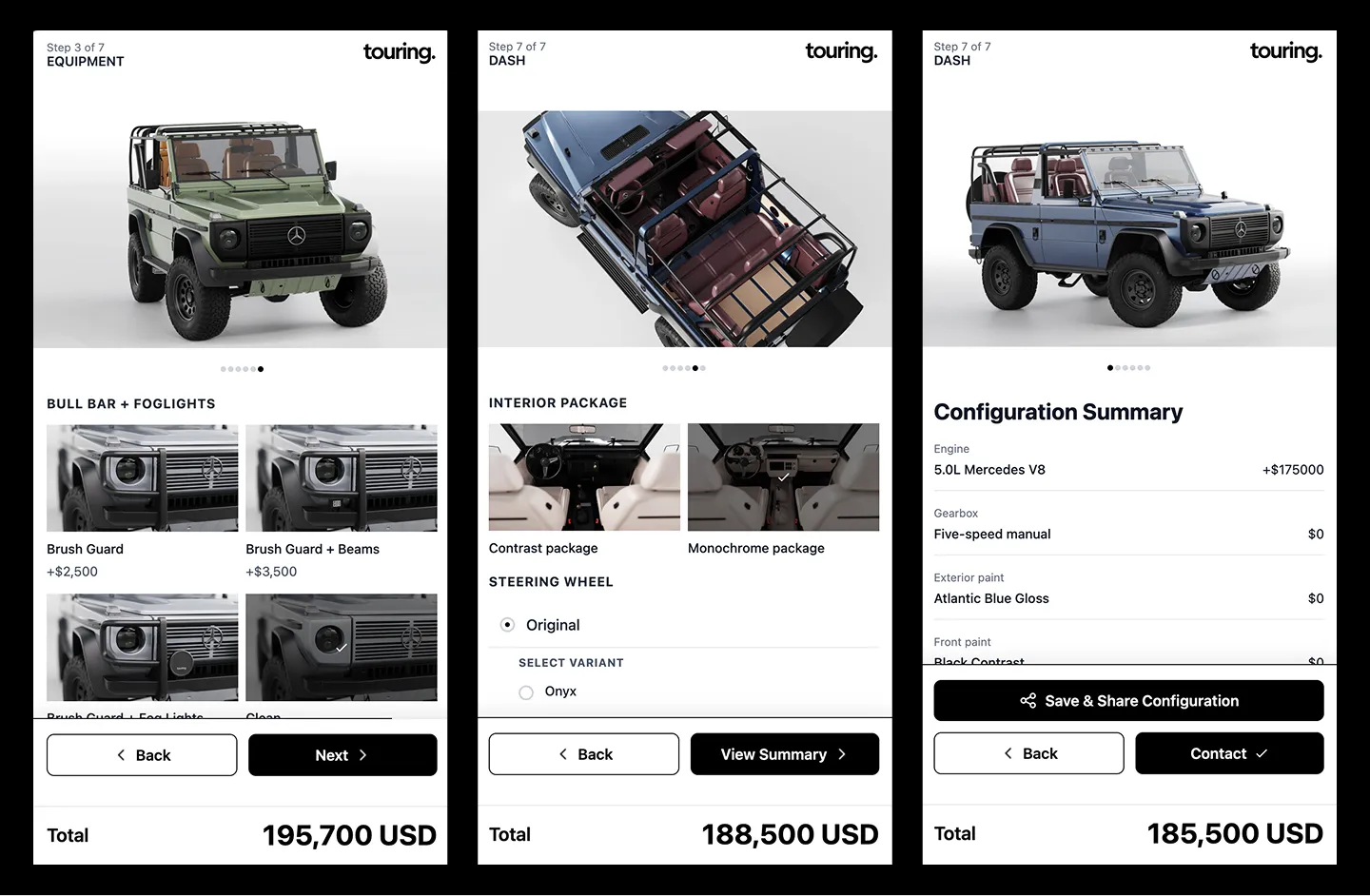
The platform is fully responsive — both the configurator and the admin panel work seamlessly on desktop, tablet, and mobile, tuned for the most popular browsers. That mattered more than it sounds: with hundreds of high-resolution renders per car, mobile is where a heavy configurator usually falls apart.
A few specific things we built to make sure that didn't happen here:
- The server decides which image weight to send before the page even loads. Mobile devices automatically receive a lighter image variant than desktop — roughly a tenth of the file size per layer — so the frontend never has to think about it or make the user wait.
- Native swipe navigation between camera angles, with axis-lock so a diagonal thumb movement doesn't accidentally trigger a horizontal swipe when the user meant to scroll down the page.
- Every camera angle is preloaded in the background the moment a selection changes, so swiping between views never waits on the network.
- The widget is fully isolated from Webflow's own styling. It renders inside an isolated style boundary, so Webflow's site-wide CSS can't leak in and break the configurator, and the configurator's own styles can't leak out and break the rest of the site — a real conflict we ran into and solved early on.
The Full Experience
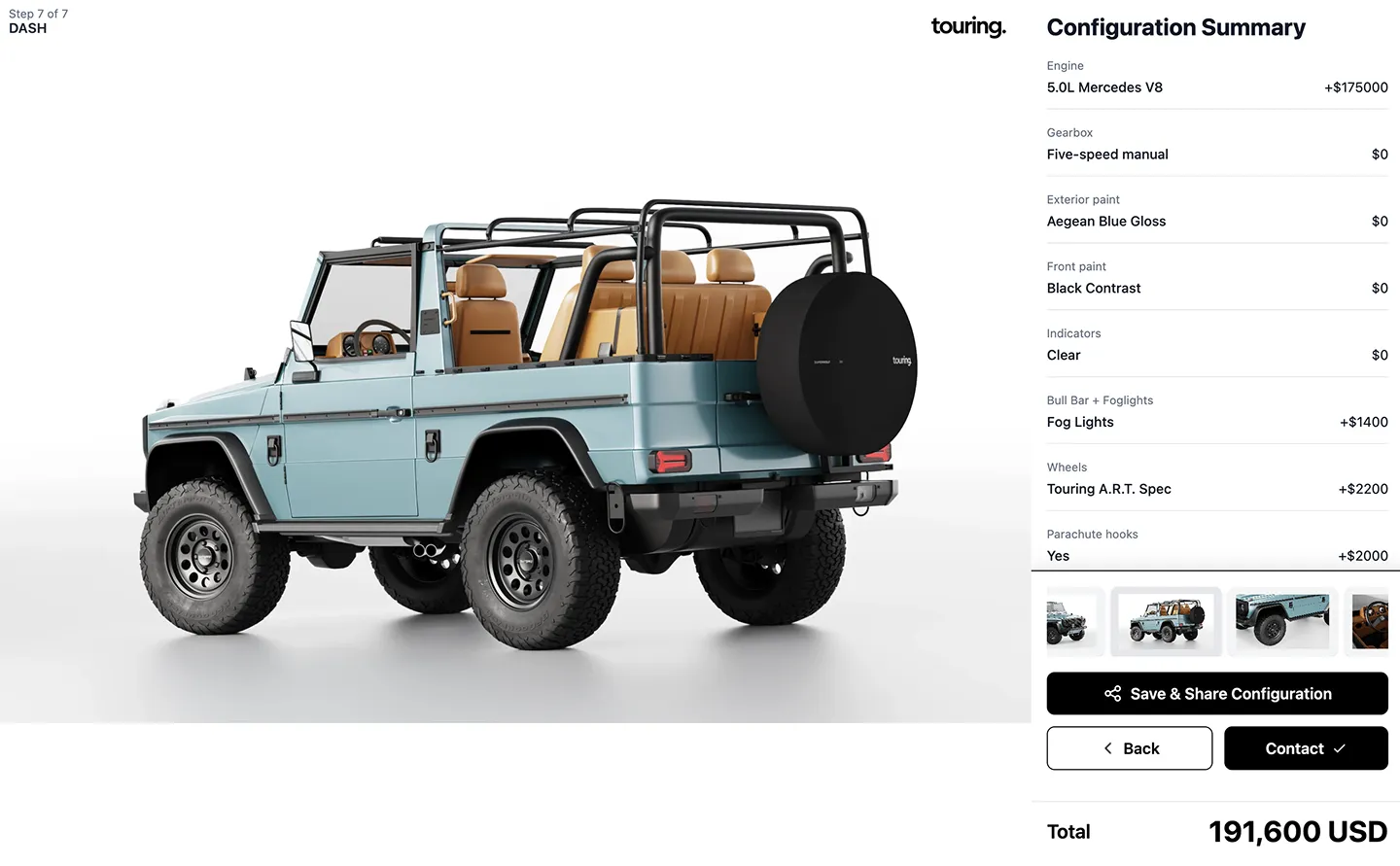
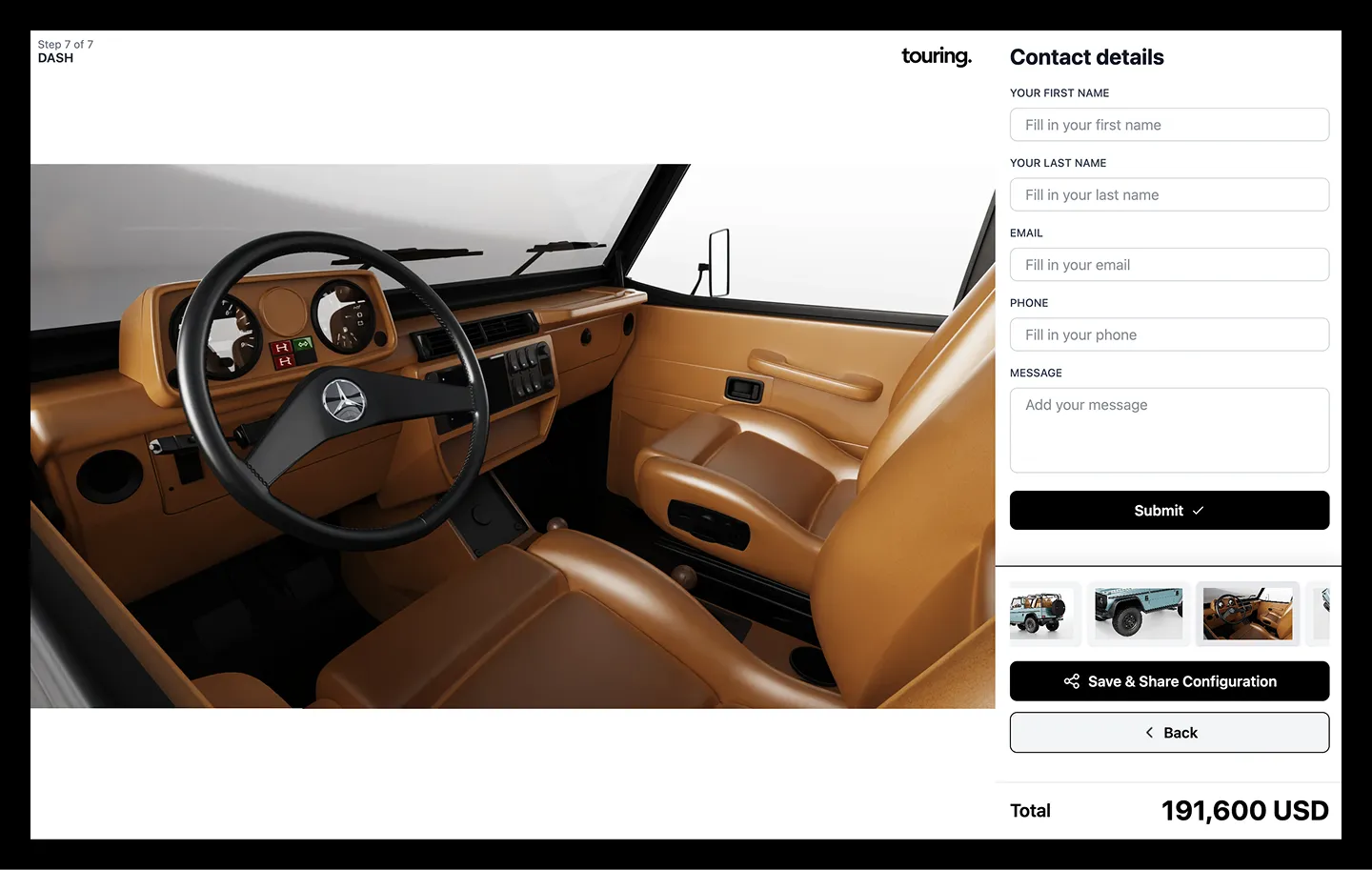
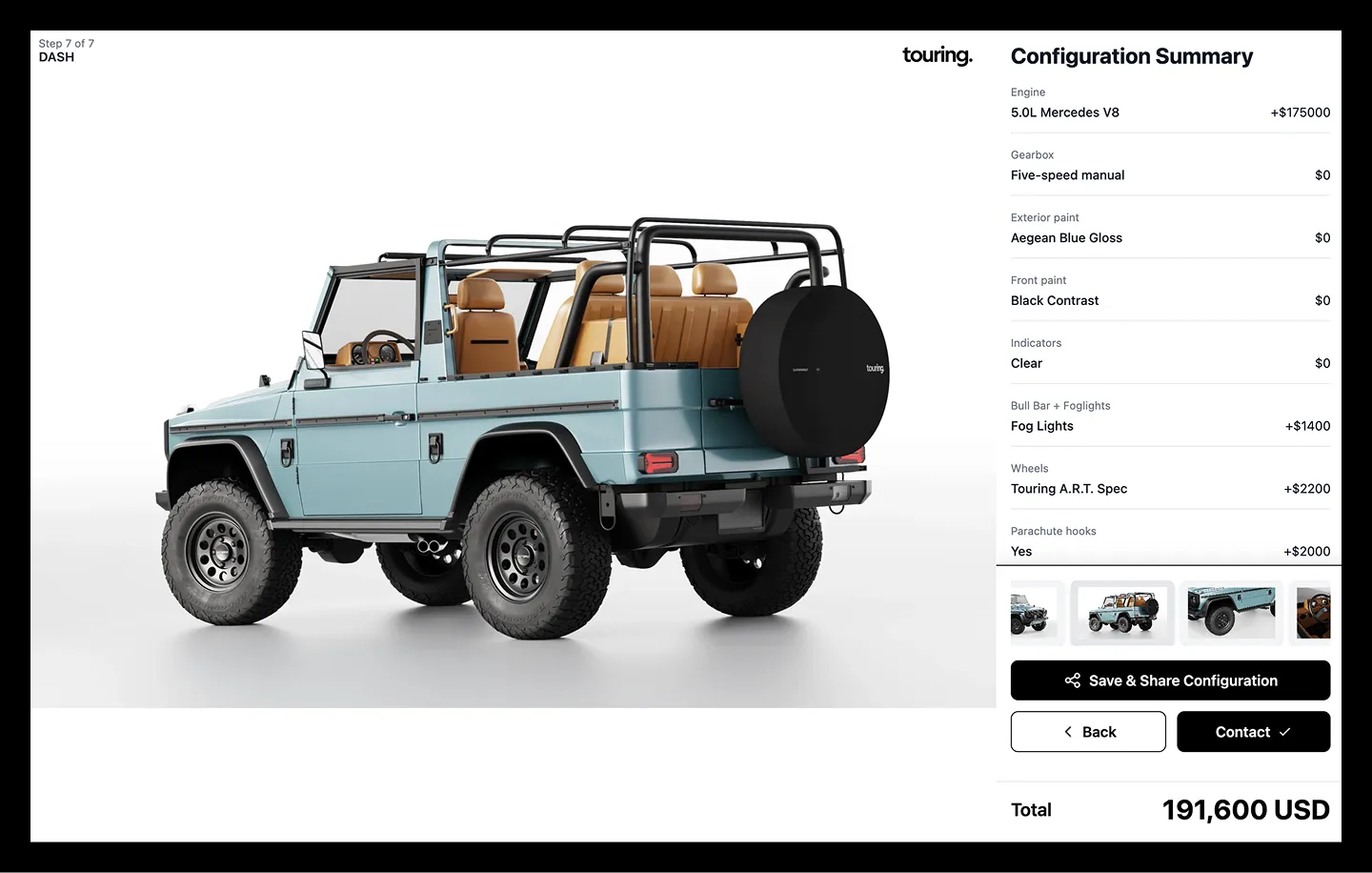
At the end of the customization journey — powertrain, exterior color, equipment, stance, upholstery, and more — the user gets:
- A configuration summary with every selection and its individual and total price
- A shareable link, auto-copied to the clipboard, so they can save or send their exact build to anyone
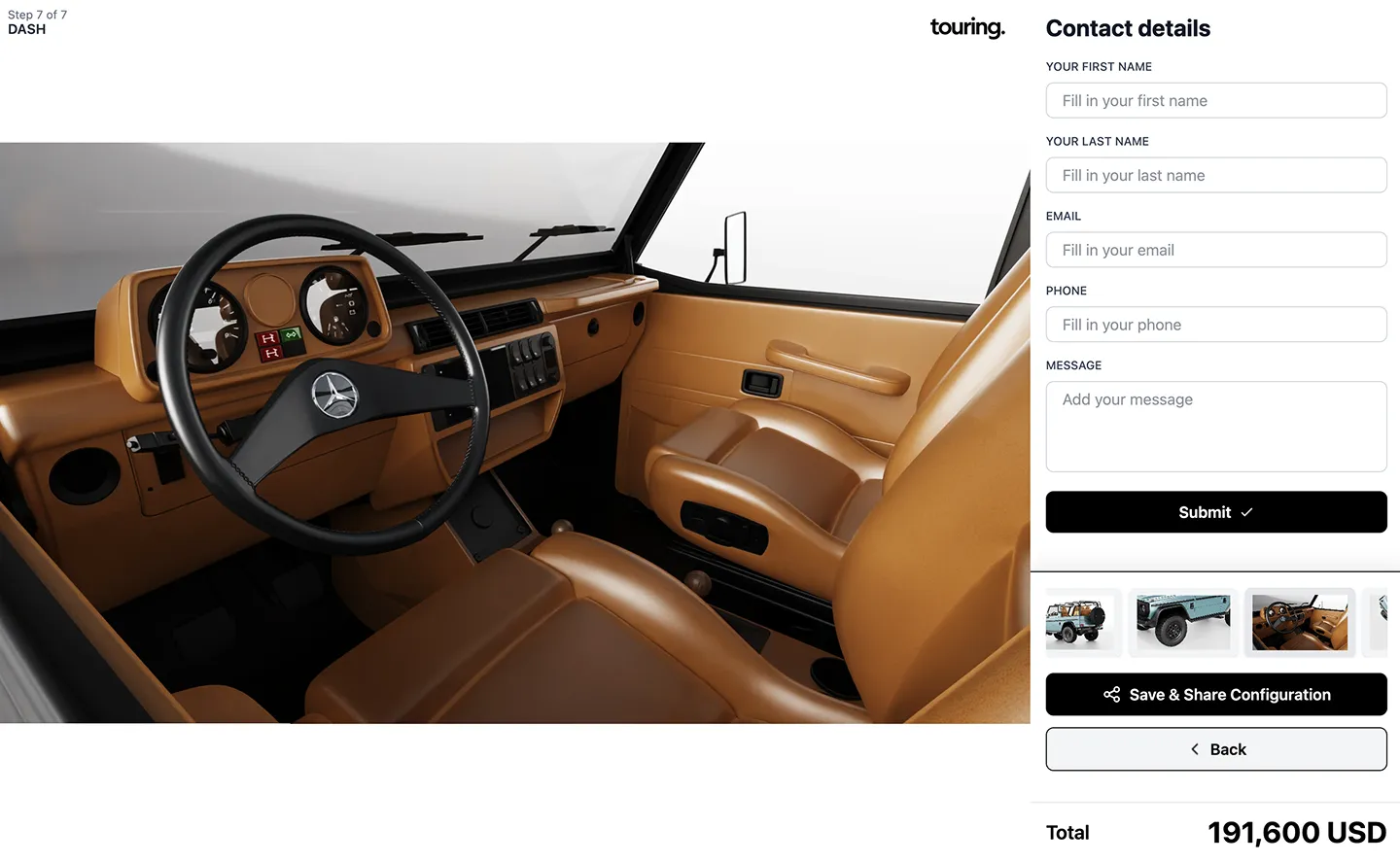
- A contact form that sends that exact configuration straight to the Touring team
Every saved configuration is immutable and tied to a unique link — if Touring later updates a render, a previously shared link automatically reflects the new image, without ever going stale or breaking.
The Result
Response time went from one to two weeks, down to minutes.
The Touring team no longer produces manual renders for every prospective client. Today the tool is used two ways: internally, as a support tool during sales sessions with end clients, and publicly, by new leads who land on the site and configure their own car before ever talking to anyone on the team.
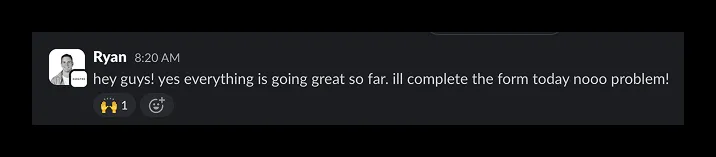
"An incredible group of technologists, designers and developers... the best."— Ryan Webb, TouringDesign
How We Think About Projects Like This
We don't build exactly what the client asks for as written — we build with the project's long-term objective in mind, and how to solve it in a way that leaves the client independent and self-sufficient, not locked into us or any other developer.
We know that a product like this has two real users: the administrator (our direct client, in this case Touring) and the end customer (the client's client). Every technical decision gets weighed against both.
And the stack is never the starting point. The objective comes first — the stack gets defined afterward, based on what that objective actually needs to scale.
As Erick Silva, our Tech Lead on this project, put it about the decision he's proudest of on this build: it turned "adding a new car" from an engineering task into an operations task. That's the standard we build to — not just software that works, but software that makes our client more capable without needing us in the room.
Yungle is a growth infrastructure partner specializing in Webflow, SEO/AEO, and custom development for premium brands.
9 / 9

“I've engaged Yungle for over seven different client projects. Their speed, attention to detail, and quality of output have continually drawn me back.”


“I've engaged Yungle for over seven different client projects. Their speed, attention to detail, and quality of output have continually drawn me back.”
“I've engaged Yungle for over seven different client projects. Their speed, attention to detail, and quality of output have continually drawn me back.”